GPT Image 1.5: OpenAI's Text Rendering Breakthrough
OpenAI's latest image generator delivers perfect text in images, 4× faster generation, and precise editing that preserves lighting, composition, and identity. The engine behind ChatGPT Images — now available for professional workflows.
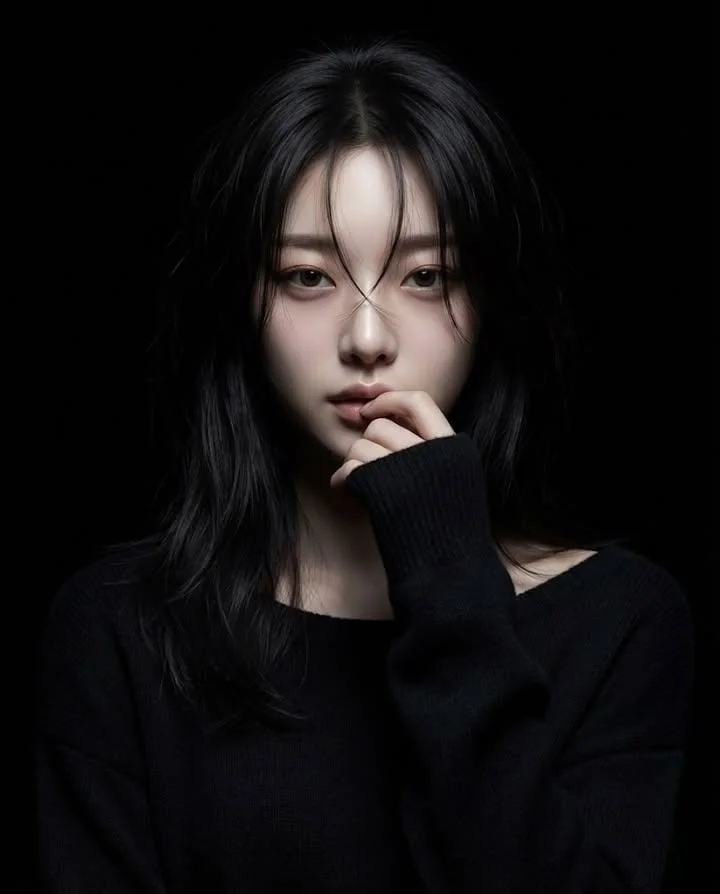
GPT Image 1.5 Key Features
OpenAI's latest image generation model offers professional-grade capabilities:
- Perfect Text Rendering — Clear, legible text at any size from headlines to fine print
- 4× Faster Generation — 5-8 seconds instead of 20-30 seconds
- Up to 16 References on LatiAI — Maximum multi-image support in editing mode
- Precise Editing — Preserves lighting, composition, and identity across edits
- Parallel Generation — Submit multiple requests simultaneously
- Autoregressive Architecture — Native multimodal token prediction for superior coherence
- 3 Aspect Ratios — Square (1:1), portrait (2:3), landscape (3:2)
- Quality Control — Medium for iteration, High for production
Why Professionals Choose GPT Image 1.5 AI Image Generator
When your images need readable text, consistent branding, and precise edits — GPT Image 1.5 delivers what other models cannot. Released December 2025, GPT Image 1.5 is the engine behind ChatGPT Images — now available for professional workflows on LatiAI.
OpenAI's autoregressive multimodal architecture represents a fundamental shift from previous diffusion-based approaches. The result is an AI that understands text as structured content, preserves context during edits, and generates with unprecedented speed.
Text Rendering That Actually Works
GPT Image 1.5's breakthrough capability is text rendering. While other models produce garbled letters and illegible words, GPT Image 1.5 handles:
- Dense text layouts — ingredient lists, terms and conditions, data tables
- Small fonts — fine print that remains readable when zoomed
- Mixed typography — headlines combined with body text
- Proper kerning — professional spacing that looks typeset, not AI-generated
- Multi-line accuracy — paragraphs that flow naturally
For designers creating posters, infographics, packaging, or any text-heavy visuals — this capability alone justifies choosing GPT Image 1.5. Start creating with text-to-image.
Editing That Understands Context
Most AI models treat editing as regeneration with constraints. GPT Image 1.5 actually understands what to preserve:
- Lighting consistency — shadows and highlights remain accurate after edits
- Composition stability — framing and balance stay intact
- Identity preservation — faces and distinctive features don't drift
- Brand fidelity — logos and visual elements remain pixel-accurate
- Material accuracy — textures and surfaces stay consistent
Upload an image, describe your change, and GPT Image 1.5 modifies only what you specify. No more fixing unintended alterations. Experience this with image-to-image.
Speed That Enables Creativity
4× faster generation transforms how you work:
- Rapid iteration — test 10 concepts in the time one used to take
- Real-time exploration — ideas flow without waiting
- Client presentations — generate variations on the spot
- Deadline-friendly — production speed for professional timelines
At 5-8 seconds per image, GPT Image 1.5 removes the friction between imagination and visualization.
Parallel Generation for Scale
Unlike sequential models, GPT Image 1.5 supports parallel requests:
- Submit multiple prompts simultaneously
- No queuing — all requests process concurrently
- Multiply throughput for batch workflows
- Ideal for catalog generation and A/B testing
What's New in GPT Image 1.5 vs GPT Image 1
GPT Image 1.5, released December 16, 2025, represents a major upgrade from the original GPT Image 1 (April 2025):
| Feature | GPT Image 1 | GPT Image 1.5 |
|---|---|---|
| Generation Speed | 20-30 seconds | 5-8 seconds (4× faster) |
| Cost Efficiency | Baseline | 20% more efficient |
| Text Rendering | Basic accuracy | Dense text, small fonts |
| Editing Precision | Good | Context-aware preservation |
| Logo/Face Preservation | Standard | Enhanced fidelity |
| Instruction Following | Good | Significantly improved |
| Parallel Generation | Limited | Full support |
Key Upgrades Explained
Text Rendering Revolution: GPT Image 1 could handle simple text but struggled with density and small sizes. GPT Image 1.5 treats text as structured content — understanding letter forms, spacing, and hierarchy. The improvement is dramatic for any design requiring readable typography.
Context-Aware Editing: The original model sometimes altered unintended elements during edits. GPT Image 1.5 maintains a deeper understanding of image context, changing only specified elements while preserving everything else — lighting, composition, identity, and brand elements.
Speed Without Compromise: The 4× speed improvement isn't achieved through quality reduction. GPT Image 1.5 generates faster while delivering better results — a rare combination in AI model evolution.
Reliable Instruction Following: GPT Image 1.5 adheres to prompts more consistently, reducing the trial-and-error cycles needed to achieve desired results. Describe what you want, and the model delivers on first attempts more frequently.
What GPT Image 1.5 Excels At: Best Use Cases
GPT Image 1.5's unique strengths make it optimal for specific professional workflows:
Marketing Materials with Text
Create complete designs that need readable copy:
- Posters and flyers with headline, body, and fine print
- Social media graphics with captions and hashtags
- Infographics with data labels and explanations
- Presentation slides with title and bullet points
- Email headers with promotional messaging
The text rendering capability means less post-production cleanup. Generate with text-to-image and use directly.
Brand Asset Editing
Modify existing materials while maintaining brand integrity:
- Product photo updates — change backgrounds, keep product perfect
- Campaign variations — create A/B versions from one master
- Seasonal adaptations — holiday themes without reshooting
- Localization — swap text for different markets
- Format adjustments — resize while preserving key elements
Upload your assets to image-to-image and edit with confidence.
Product Photography
Generate e-commerce imagery with accurate labels:
- Product shots with readable packaging text
- Lifestyle contexts showing products in use
- Ingredient displays with legible small print
- Size comparisons with measurement annotations
- Feature callouts with clear descriptive text
Educational and Instructional Content
Create learning materials that communicate clearly:
- Tutorial graphics with step-by-step labels
- Diagram annotations with precise terminology
- How-to illustrations with numbered instructions
- Concept explanations with supporting text
- Training materials with readable captions
UI and UX Prototyping
Visualize interfaces with realistic text:
- App mockups with menu items and buttons
- Website concepts with headline and navigation
- Dashboard designs with data and labels
- Form layouts with field names and placeholders
- Notification designs with message content
For complex commercial photography requiring 4K resolution, consider Seedream 4.5. For projects needing flawless multilingual text, explore Nano Banana Pro — both available on LatiAI.
GPT Image 1.5 vs Other AI Image Generators
How does GPT Image 1.5 compare to leading alternatives on LatiAI?
| Feature | GPT Image 1.5 | Seedream 4.5 | Flux 2 Pro | Nano Banana Pro |
|---|---|---|---|---|
| Text Rendering | Excellent (English) | Excellent | Good | Flawless (multilingual) |
| Editing References | 16 on LatiAI | 14 | 8 | 8 |
| Generation Speed | 5-8s | ~2s (2K) | ~5s | ~30s |
| Max Resolution | 1536px | 4K | 2K | 4K |
| Parallel Generation | Yes | No | No | No |
| Editing Precision | Best | Very Good | Good | Good |
| Best For | Text & Editing | Commercial photos | Artistic styles | Multilingual design |
The verdict: GPT Image 1.5 leads for text-heavy designs, precise editing workflows, and parallel batch generation. Seedream 4.5 excels in commercial photography with 4K output. Flux 2 Pro serves artistic and stylized content. Nano Banana Pro offers flawless multilingual text rendering with Google knowledge integration. All models available on LatiAI.
Choose based on your primary need:
- Text accuracy → GPT Image 1.5
- Commercial realism + 4K → Seedream 4.5
- Artistic styles → Flux 2 Pro
- Multilingual text → Nano Banana Pro
How to Create AI Images with GPT Image 1.5
Professional results require understanding GPT Image 1.5's strengths. Follow this workflow:
Step 1: Craft Your Prompt
GPT Image 1.5 excels at following detailed instructions. Be specific:
Great prompt example:
"Modern minimalist poster design with large headline text 'SUMMER SALE' at top, subheading '50% OFF EVERYTHING' below, clean white background, bold sans-serif typography, high contrast black text, professional marketing aesthetic"
Tips for best text rendering:
- Put exact text in quotes:
text reading "YOUR WORDS HERE" - Specify typography style: serif, sans-serif, bold, italic
- Describe text hierarchy: headline, subheading, body, fine print
- Include size relationships: "large title, smaller subtitle"
Step 2: Choose Quality Setting
Select based on your workflow stage:
- Medium Quality: Rapid concepts, early iterations, exploring directions
- High Quality: Final deliverables, production assets, client presentations
Both produce identical dimensions — quality affects rendering detail and realism.
Step 3: Select Aspect Ratio
GPT Image 1.5 supports three aspect ratios:
- 1:1 (Square) — Instagram posts, profile images, product shots
- 2:3 (Portrait) — Pinterest pins, mobile screens, vertical banners
- 3:2 (Landscape) — Blog headers, presentation slides, horizontal banners
Step 4: Iterate at Speed
With 5-8 second generation:
- Generate your first version quickly
- Review and identify adjustments
- Refine prompt based on results
- Regenerate — test variations freely
- Use parallel generation for multiple concepts
The speed enables exploration. Don't settle for first results — iterate toward perfection.
Ready to start? Try text-to-image now.
Who Uses GPT Image 1.5 AI Image Generator?
Marketing and Brand Teams
Create on-brand content with readable text at scale. Maintain consistency across campaigns with precise editing. Generate variations for A/B testing without reshooting. Deliver assets that require minimal post-production.
Graphic Designers
Produce concepts with production-quality typography. Skip the placeholder text phase — generate with real copy immediately. Edit client assets while preserving brand integrity. Iterate faster with 4× speed improvement.
E-commerce and Retail
Generate product imagery with accurate labels and packaging text. Create lifestyle shots with readable promotional copy. Maintain consistency across catalog expansions. Scale content production without proportionally scaling costs.
Content Creators
Produce social media graphics with captions and hashtags rendered correctly. Create thumbnails with readable titles. Generate infographics with data and explanations. Maintain visual consistency across platforms.
UI/UX Designers
Prototype interfaces with realistic text content. Create app mockups with actual menu items and buttons. Visualize designs with proper typography before development. Test concepts with stakeholders using production-quality visuals.
GPT Image 1.5 Prompting Tips: Get Better Results
Master GPT Image 1.5 with these professional techniques:
-
Quote Your Text Exactly Use explicit quotes for any text you want rendered:
poster with text "GRAND OPENING"— this dramatically improves accuracy. -
Describe Typography Style Specify font characteristics: "bold sans-serif headline," "elegant serif body text," "condensed uppercase letters" — the model responds to typographic direction.
-
Use High Quality for Text-Heavy Images Text rendering benefits significantly from High quality mode. For anything with readable text, choose High.
-
Leverage Parallel Generation Submit 4-5 variations simultaneously. Compare results and identify which prompt direction works best.
-
Be Specific About Preservation in Edits When editing, explicitly state what to keep: "change the background to blue, preserve the product, logo, and all text exactly as shown"
-
Combine with Other Models Use GPT Image 1.5 for text accuracy, then Seedream 4.5 for 4K upscaling of final selections — all available on LatiAI.
-
Reference Real Design Styles Mention specific aesthetics: "Apple product photography," "New York Times infographic," "Nike advertising" — activates relevant training.
Try GPT Image 1.5 Now on LatiAI
Ready to create AI images with OpenAI's most capable text rendering? Access GPT Image 1.5 directly through our creation tools:
- Text to Image: Describe your vision with text requirements, and GPT Image 1.5 delivers readable, professional typography in 5-8 seconds.
- Image to Image: Upload up to 16 reference images on LatiAI for precise editing that preserves lighting, composition, and brand elements.
No downloads. No complex setup. OpenAI's latest image technology, instantly accessible.
Create AI Images with Perfect Text
You're ready to generate images where text actually works.
GPT Image 1.5 represents OpenAI's commitment to practical AI — solving the real problems that limit professional adoption. Text rendering that's accurate. Editing that's precise. Speed that enables creativity. These aren't incremental improvements; they're the capabilities that make AI image generation production-ready.
Whether you're a marketing team creating campaigns, a designer prototyping interfaces, or a brand maintaining visual consistency — GPT Image 1.5 delivers the text accuracy and editing precision that professional workflows demand.
Perfect text. Precise editing. 4× faster. Parallel generation.
OpenAI's vision of practical AI image generation. Start creating.
Frequently Asked Questions
Start Creating with GPT Image 1.5 Today
Transform your creative ideas into stunning content. No technical expertise required.
Start Creating Free