Flux 2 Flex: AI Images with Perfect Typography
Finally, complete control over your AI image generation. Flux 2 Flex exposes inference steps and guidance scale for precise quality tuning — with professional-grade text rendering that makes memes, posters, and UI mockups actually usable.
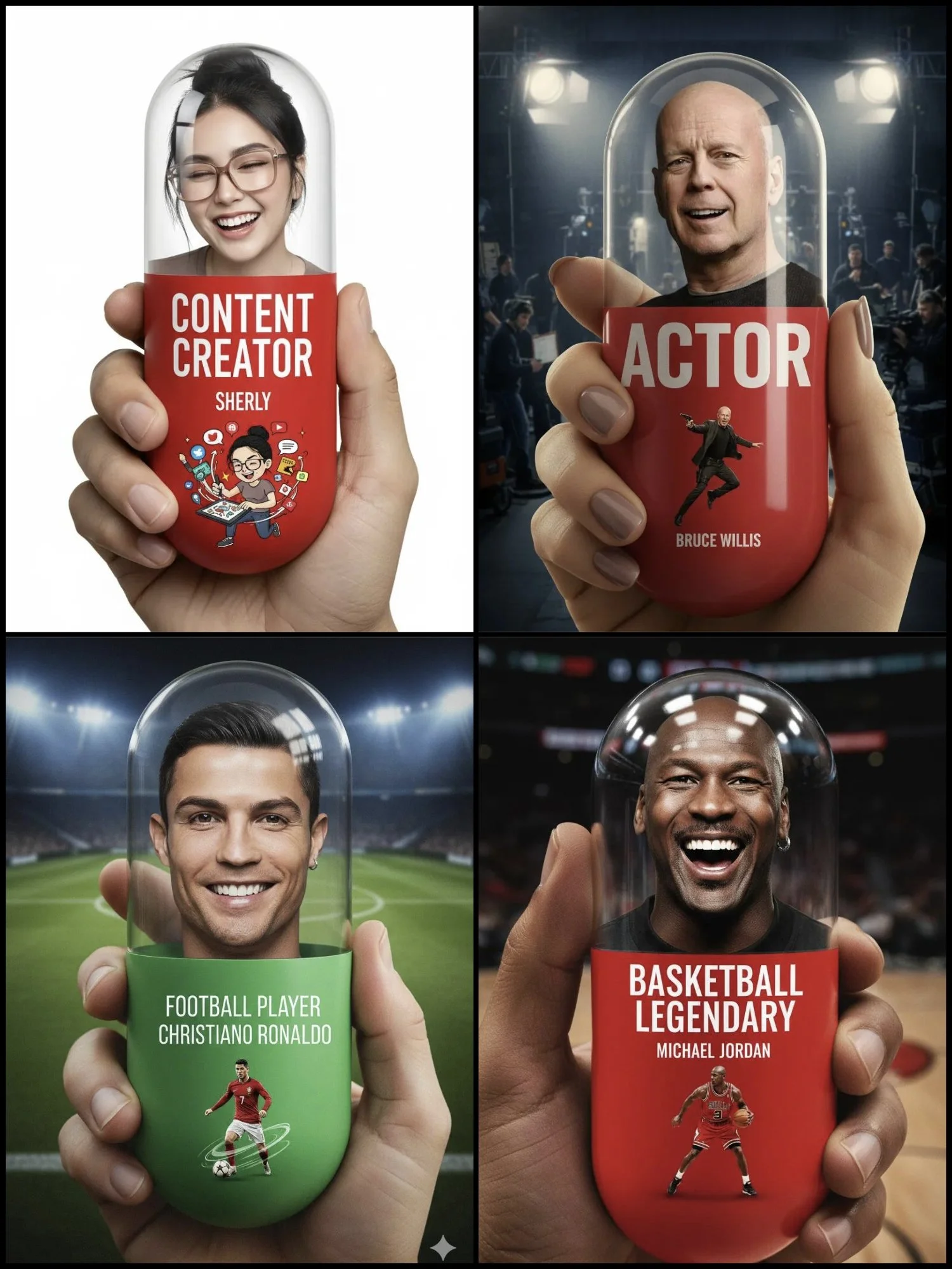
Why Professionals Choose Flux 2 Flex AI Image Generator
Text in AI images has always been the dealbreaker. Beautiful compositions ruined by garbled words. Perfect layouts destroyed by melting fonts. Every designer knows the frustration — and the hours spent fixing AI-generated text in Photoshop.
Flux 2 Flex changes this. Built by Black Forest Labs with adjustable inference steps, it gives you direct control over text rendering quality. Increase the steps, and text becomes sharp, legible, and actually usable. This is the model built for designers who need typography that works.
Professional-Grade Typography
Flux 2 Flex understands text as structured content, not random patterns:
- Clear, legible text at any size from headlines to fine print
- Accurate spelling for common words and phrases
- Proper kerning and spacing that looks professionally typeset
- Multiple text elements in a single composition
At 35-50 inference steps, the text quality rivals manual typography. Create memes, posters, and mockups that don't need post-processing. Start with our text-to-image generator.
Adjustable Parameter Control
No more black-box generation. Flux 2 Flex exposes the controls:
- Inference steps (2-50): More steps = better quality, especially text (default: 28)
- Guidance scale: Control prompt adherence vs creative freedom
- Preview-to-production workflow: Low steps for concepts, high steps for finals
Other models hide these settings and force automatic optimization. Flux 2 Flex trusts you to make the right tradeoffs for your work.
The Quality-Speed-Cost Tradeoff
Every setting has consequences. Flux 2 Flex makes them transparent:
| Steps | Text Quality | Best For |
|---|---|---|
| 6-10 | Basic | Quick previews, rapid iteration |
| 20-28 | Good | General imagery (28 is default) |
| 35-40 | Excellent | Typography-focused work |
| 50 | Maximum | Critical text, final deliverables |
Choose based on your output needs. Lower steps for exploration, higher steps for production. Generation time varies by provider and resolution.
What's New in Flux 2 Flex vs Flux 1
Flux 2 Flex, released November 2025, brings developer control to Flux architecture:
| Feature | Flux 1 | Flux 2 Flex |
|---|---|---|
| Max Resolution | 1MP | 4MP (2K) |
| Reference Images | 1 | 8 |
| Step Control | Hidden | 2-50 adjustable |
| Guidance Scale | Hidden | Adjustable |
| Typography | Poor | Excellent |
| Prompt Following | Good | Precise |
| Architecture | Flow matching | 24B VLM + Flow |
Key Upgrades in Flux 2 Flex
Exposed Parameters: For the first time in a production Flux model, you control the generation process. Steps, guidance, and quality are yours to adjust — not hidden behind automatic optimization.
Typography Breakthrough: At high step counts, Flux 2 Flex renders text that actually works. Headlines, labels, meme text, UI copy — all legible and usable without manual fixes.
8 Reference Images: Multi-reference generation with adjustable quality. Maintain character consistency while ensuring text renders correctly.
24B VLM Foundation: The vision-language model brings contextual understanding to text generation. It knows where text belongs, how it should look, and what it should say.
What Flux 2 Flex Excels At Creating
Flux 2 Flex's typography and control capabilities make it ideal for specific workflows:
Meme Creation
Generate memes with text that actually reads:
- Impact-style headlines that render correctly
- Multi-line captions with proper spacing
- Bold statement text that pops
- Viral-ready content without Photoshop
Set steps to 35+, include your text in quotes, and generate. Start with our text-to-image generator.
Poster and Marketing Design
Create promotional materials with accurate typography:
- Event posters with dates, times, and venues
- Sale announcements with pricing and terms
- Brand materials with taglines and copy
- Social ads with call-to-action text
The text renders correctly the first time. No designer cleanup required.
UI/UX Mockups and Prototypes
Visualize interfaces with realistic content:
- App screen mockups with proper UI labels
- Website concepts with readable navigation
- Dashboard designs with data labels
- Prototype presentations with actual content
See exactly how text will look before development begins. Use image-to-image for UI style consistency.
Product Labels and Packaging
Create mockups with accurate text:
- Product labels with ingredient lists and fine print
- Package designs with brand names and taglines
- Bottle and container mockups with readable text
- Retail visualizations with pricing and features
Quote Cards and Social Content
Generate shareable text-based content:
- Inspirational quotes with attributed authors
- Statistic graphics with accurate numbers
- Announcement cards with event details
- Branded content with company taglines
How to Create AI Images with Flux 2 Flex
Typography results require specific technique. Follow this workflow:
Step 1: Write a Flux 2 Flex Text Prompt
Specify your text content exactly as it should appear:
Great prompt example:
"Modern motivational poster with large white text 'NEVER GIVE UP' centered on dramatic mountain sunrise background, bold sans-serif typography, inspirational design aesthetic, cinematic lighting, 16:9 aspect ratio"
Essential elements for text rendering:
- Text content in quotes (exactly as it should appear)
- Font style description (serif, sans-serif, bold, etc.)
- Text placement (centered, top, overlay, etc.)
- Size context (large headline, small caption, etc.)
- Overall design style and mood
Step 2: Configure Flux 2 Flex for Typography
Choose settings optimized for text:
- Steps: 35-50 for important text, 20 for preview
- Resolution: 2K for best text clarity
- Aspect ratio: Match your output format
- Reference images: Up to 8 for style guidance
Step 3: Generate with Flux 2 Flex
Generate your first version. Review text carefully:
- Is every letter correct?
- Is spacing and kerning proper?
- Is text size and placement accurate?
If text needs improvement, increase steps and regenerate. The parameter control makes targeted refinement possible. Create with text-to-image now.
How to Create Memes with Flux 2 Flex
Generate viral-ready memes with text that actually reads. No Photoshop required.
Example 1: Classic Impact Meme
The iconic white text with black outline format.
Prompt:
"Surprised cat meme with large white Impact font text 'WHEN YOU REALIZE' at top and 'IT'S ALREADY MONDAY' at bottom, black text outline, classic meme format, funny expression, high quality photograph"
Settings: 35+ steps, 1:1 aspect ratio, 2K resolution
Pro tip: Always put text content in quotes for accurate rendering.
Example 2: Modern Caption Meme
Clean, minimal text overlay style popular on social media.
Prompt:
"Person looking confused at phone screen, modern meme style, white sans-serif text 'me trying to understand the group chat at 3am' at bottom, clean minimal aesthetic, relatable humor, high quality"
Settings: 40 steps, 9:16 aspect ratio (for Stories/Reels)
Example 3: Reaction Image with Text
Create reaction images with embedded text.
Prompt:
"Dramatic surprised face expression, bold red text 'WAIT WHAT' in center, meme reaction style, exaggerated emotion, viral content aesthetic, clean background"
Settings: 50 steps for maximum text clarity
How to Create Posters with Flux 2 Flex
Design promotional materials with professional typography.
Example 1: Event Poster
Prompt:
"Modern music festival poster, bold gradient background purple to blue, large white text 'SUMMER FEST 2025' at top, medium text 'AUGUST 15-17' below, 'CENTRAL PARK NYC' at bottom, geometric shapes, contemporary design aesthetic, clean typography"
Settings: 50 steps, 2:3 aspect ratio, 2K resolution
Pro tip: Describe text hierarchy (large, medium, small) for proper sizing.
Example 2: Sale Announcement
Prompt:
"Retail sale poster, bright red background, huge white text 'MEGA SALE' in center, large text 'UP TO 70% OFF' below, small text 'Limited time only. Terms apply.' at bottom, bold commercial style, eye-catching design"
Settings: 45 steps, 1:1 aspect ratio
Example 3: Movie-Style Poster
Prompt:
"Cinematic movie poster style, dramatic lighting, mysterious figure silhouette, large title text 'THE AWAKENING' at top, tagline 'Some secrets should stay buried' below, release date 'COMING SUMMER 2025' at bottom, professional film poster aesthetic"
Settings: 50 steps, 2:3 aspect ratio, 2K resolution
How to Create UI Mockups with Flux 2 Flex
Prototype interfaces with realistic, readable text.
Example 1: Mobile App Screen
Prompt:
"Clean mobile app UI mockup, white background, navigation bar with text 'Dashboard' at top, card components with labels 'Total Sales' '$12,450' and 'New Users' '1,234', bottom navigation with icons and text 'Home' 'Search' 'Profile', modern iOS design style, readable interface text"
Settings: 45 steps, 9:16 aspect ratio
Pro tip: Include specific UI element names and values for accurate mockups.
Example 2: Website Hero Section
Prompt:
"Website hero section mockup, gradient background, large headline 'Build Faster with AI', subheadline 'The platform that helps teams ship products 10x faster', two buttons 'Get Started Free' and 'Watch Demo', modern SaaS landing page style, clean typography"
Settings: 50 steps, 16:9 aspect ratio
Example 3: Dashboard Interface
Prompt:
"Analytics dashboard UI, dark mode interface, sidebar with menu items 'Overview' 'Analytics' 'Reports' 'Settings', main area with chart titled 'Revenue Growth', data cards showing 'Monthly Revenue $45,200' and 'Active Users 12.5K', professional business software aesthetic"
Settings: 50 steps, 16:9 aspect ratio, 2K resolution
Flux 2 Flex vs Other AI Image Generators
How does Flux 2 Flex compare for typography work?
| Feature | Flux 2 Flex | Flux 2 Pro | Ideogram | Nano Banana Pro |
|---|---|---|---|---|
| Text Rendering | Excellent | Good | Excellent | Flawless |
| Step Control | Yes (2-50) | No | No | No |
| Guidance Control | Yes | No | No | No |
| Multi-Language | Good | Good | Limited | Best |
| Max Resolution | 2K | 2K | 2K | 4K |
| Reference Images | 8 | 8 | 1 | 8 |
| Generation Speed | Varies by steps | 3-5s | ~10s | 40-60s |
| Best For | Typography + Control | Speed | Quick text | Multi-language |
The verdict: Flux 2 Flex leads when you need both excellent text rendering AND parameter control. Nano Banana Pro produces flawless multi-language text but offers no quality control. Ideogram is fast but limited. For production typography workflows, Flux 2 Flex's adjustable steps provide unmatched precision.
Flux 2 Flex vs Ideogram
Ideogram made waves as a text-focused AI image generator. How does Flux 2 Flex compare?
| Aspect | Flux 2 Flex | Ideogram |
|---|---|---|
| Text Quality | Excellent (adjustable) | Excellent (fixed) |
| Step Control | Yes (2-50) | No |
| Guidance Scale | Adjustable | Fixed |
| Reference Images | Up to 8 | 1 only |
| Quality Control | Full control | None |
| Consistency | Multi-reference | Single image only |
When to choose Flux 2 Flex over Ideogram:
- You need control over quality-speed tradeoff
- Multi-reference consistency is required
- You want to fine-tune text accuracy with steps
- You need character/style consistency across outputs
When Ideogram might be better:
- You only need single images with no consistency requirements
- Speed is more important than quality control
Flux 2 Flex vs Adobe Firefly
Adobe Firefly is integrated into Creative Cloud. Here's how it stacks up:
| Aspect | Flux 2 Flex | Adobe Firefly |
|---|---|---|
| Text Rendering | Excellent | Good |
| Parameter Control | Full | Limited |
| Standalone Use | Yes | Creative Cloud required |
| Multi-Reference | 8 images | Limited |
| Commercial Use | Yes | Yes (with subscription) |
When to choose Flux 2 Flex over Firefly:
- You need precise typography control
- You want standalone access without Creative Cloud
- Multi-reference generation is required
Who Uses Flux 2 Flex AI Image Generator?
Meme Creators
Generate viral content with text that actually reads. No more Photoshop fixes for every meme. Create and publish at internet speed.
Marketing Designers
Produce materials with accurate copy. Headlines, taglines, and CTAs render correctly. Iterate on concepts without post-processing delays.
UI/UX Designers
Prototype with realistic content. Test typography choices before development. Present mockups with actual interface text.
Social Media Managers
Create text-based content at scale. Quote cards, announcements, and branded graphics with perfect typography.
Product Designers
Visualize packaging and labels with accurate text. Test designs before production. Present clients with realistic mockups.
Pro Tips for Better Flux 2 Flex Typography
Master Flux 2 Flex with these techniques:
-
Quote Your Text Exactly Use quotes: "Text: 'HELLO WORLD'" — the model renders quoted text more accurately.
-
Match Steps to Text Importance 35-50 steps for headline/hero text, 20 steps for background/minor text.
-
Describe Typography Style Include font hints: "bold sans-serif," "elegant script," "modern geometric"
-
Specify Text Placement Be explicit: "centered large headline," "bottom-right caption," "overlay on image"
-
Use Preview-to-Final Workflow Generate at 10 steps to test composition, finalize at 50 steps for typography.
-
Layer Multiple Text Elements Describe hierarchy: "large 'SALE' at top, medium 'UP TO 50% OFF' below, small 'terms apply' at bottom"
Try Flux 2 Flex Now on LatiAI
Ready to create AI images with perfect typography? Access Flux 2 Flex directly through our creation tools:
- Text to Image: Generate images with precise text rendering at adjustable quality levels.
- Image to Image: Upload up to 8 reference images for style consistency while maintaining typography accuracy.
No downloads. No complex setup. Typography that actually works.
Create AI Images with Text That Works
You're ready to generate images where the text is finally right.
Flux 2 Flex represents a new category — the first production model that gives you control over the quality-speed tradeoff. No more accepting whatever the AI decides. No more hoping text renders correctly. Set your steps, describe your typography, and generate with confidence.
Whether you're creating memes, designing posters, mocking up interfaces, or producing marketing materials — Flux 2 Flex delivers the typography precision that makes AI-generated images actually usable.
Adjustable steps. Precise text. Production control.
Typography that works, finally. Start creating.
Frequently Asked Questions
Start Creating with Flux 2 Flex Today
Transform your creative ideas into stunning content. No technical expertise required.
Start Creating Free