0 / 20000
AI Image Generator — Create from Text or Photo
Create images from text or edit uploaded photos with LatiAI. Switch between GPT Image, Seedream, FLUX 3, and Nano Banana in one workspace, with output up to 4K depending on the model.
Choose Your AI Image Model
Six industry-leading AI models, each built for a different creative goal. Pick by output quality, generation speed, or how many reference photos you need.
GPT Image 1.5
OpenAI · Best for text in images
The go-to model when your image needs readable text, accurate logos, or precise typography. GPT Image 1.5 follows complex instructions with exceptional accuracy and supports up to 16 reference images for detailed multi-element compositions.
Seedream 4.5
ByteDance · 4K artistic output
Built for artistic output at 4K resolution. Seedream 4.5 excels at rich visual styles, anime aesthetics, and detailed illustrations. Strong at interpreting stylistic references and delivering images with exceptional depth and color.
Seedream 5.0
ByteDance · Chain-of-thought reasoning
ByteDance's newest model with chain-of-thought reasoning — it thinks through your prompt before generating, resulting in more accurate interpretations of complex scenes. Outputs at 3K resolution with stronger semantic understanding.
FLUX 3
Black Forest Labs · Generation and editing up to 4K
Generate and edit images at 1K, 2K, or 4K. Use up to 10 reference images and optional web search to inform the result.
Nano Banana
Google · Character consistency
Google's character-consistent image model. Exceptionally good at keeping subjects recognizable across multiple generations — useful for brand mascots, recurring characters, and product shots that need visual continuity.
Nano Banana 2
Google · Google Search grounding
The most capable model for complex briefs. Nano Banana 2 supports Google Search grounding for real-world accuracy, handles up to 14 reference images, and outputs at 4K with 15 aspect ratio options including ultra-wide and portrait extremes.
Text to Image and Image to Image — One Platform
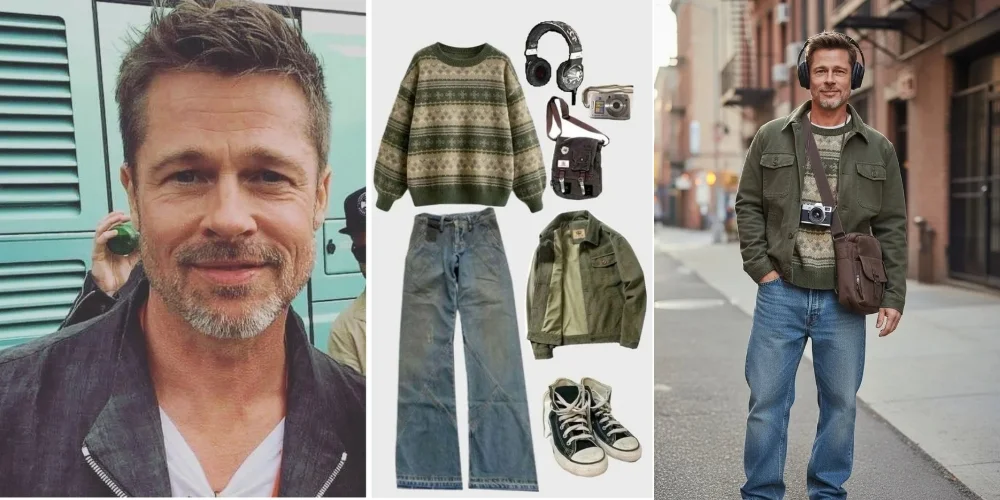
Most AI image tools force you to choose one mode. LatiAI gives you both on the same page. Start from a text prompt when you're building something from scratch — describe the scene, mood, style, and lighting, and the AI generates it. Switch to image-to-image mode when you already have a photo: upload it as a reference, describe your changes, and the AI transforms, extends, or reimagines it. Both modes share the same model lineup, the same 4K output quality, and the same no-watermark download.
What Can You Create with an AI Image Generator?
From product mockups to concept art — the AI image generator adapts to your workflow, not the other way around.
Product Photography
Professional catalog shots without a studio
Upload a plain product photo and use image-to-image AI to generate lifestyle shots, swap backgrounds, or place it in a scene. Works for e-commerce listings, Amazon images, and brand campaigns.
Social Media Visuals
On-brand content at posting speed
Generate scroll-stopping images for Instagram, TikTok, Pinterest, and YouTube. Create consistent visual styles across posts without a designer — describe the aesthetic once, generate at scale.
Marketing Campaigns
Ad creatives and campaign visuals in minutes
Turn a text brief into campaign-ready images for ads, landing pages, and email headers. Use reference images to maintain brand consistency across every asset in a campaign.
Character & Concept Art
From brief to reference sheet in seconds
Generate character designs, mood boards, and concept art for games, animation, and illustration projects. Use Nano Banana 2 for subject consistency across multiple reference angles.
AI Image Prompt Examples for Real-World Use
Copy, adapt, and test these prompts across different models. Each one is optimized for a specific visual outcome.
E-Commerce Product Shot
Lifestyle product photography
"White sneaker on clean marble surface, soft studio lighting from upper left, subtle drop shadow, 4K commercial photography, pure white background, ultra-sharp detail, no background clutter"
Social Media Banner
Wide-format content creation
"Tokyo street at night, neon signs reflecting on wet pavement, 16:9 cinematic composition, Blade Runner color grade, bokeh background, ultra-wide establishing shot, vibrant and moody"
Character Reference Sheet
Game design and animation
"Female warrior in ornate silver armor, front and side view on white background, clean concept art style, professional character design sheet, detailed linework, consistent proportions"
Brand Lifestyle Scene
Campaign and editorial photography
"Minimalist coffee shop interior, warm golden hour window light, person reading at wooden table, lifestyle editorial style, shallow depth of field, Leica film photography aesthetic, muted warm tones"
How to Write Better AI Image Prompts
- • Be specific about style - Name the aesthetic directly: 'Leica film photography', 'Studio Ghibli illustration', 'Brutalist architecture rendering' — vague words like 'beautiful' give the AI nothing to work with
- • Describe lighting explicitly - Lighting changes everything: 'soft golden hour backlight', 'harsh studio strobe from left', 'overcast diffused light' — models respond better to named lighting setups than mood words
- • Use reference images for consistency - In image-to-image mode, upload your reference photo before writing the prompt — the AI uses it as a visual anchor, giving you far more control over the output
- • Match the model to the task - Try Seedream for artistic styles, GPT Image for typography, Nano Banana for subject consistency, and FLUX 3 for generation with optional web search
How to Generate AI Images Online
Two paths, same result: professional AI images in under 30 seconds.
Choose Text-to-Image or Image-to-Image
Starting from scratch? Use text-to-image — describe any scene and the AI builds it. Have an existing photo? Use image-to-image — upload it and describe how you want it changed.
Pick a Model and Write Your Prompt
Select GPT Image, Seedream, FLUX 3, or Nano Banana for your task. Choose the available settings, then write your prompt.
Generate and Download in 4K
Click generate. Most AI images are ready within 10 to 30 seconds. Download in up to 4K resolution with no watermark and full commercial rights.
Explore More AI Creative Tools
Images, video, voice — create every content type from one platform.
AI Image Generator FAQ
Real questions people ask before using an AI image generator — answered honestly.
Generate AI Images Free — From Text or Photo
Access GPT Image, Seedream, FLUX 3, and Nano Banana in one AI image generator, with output up to 4K and no watermark.